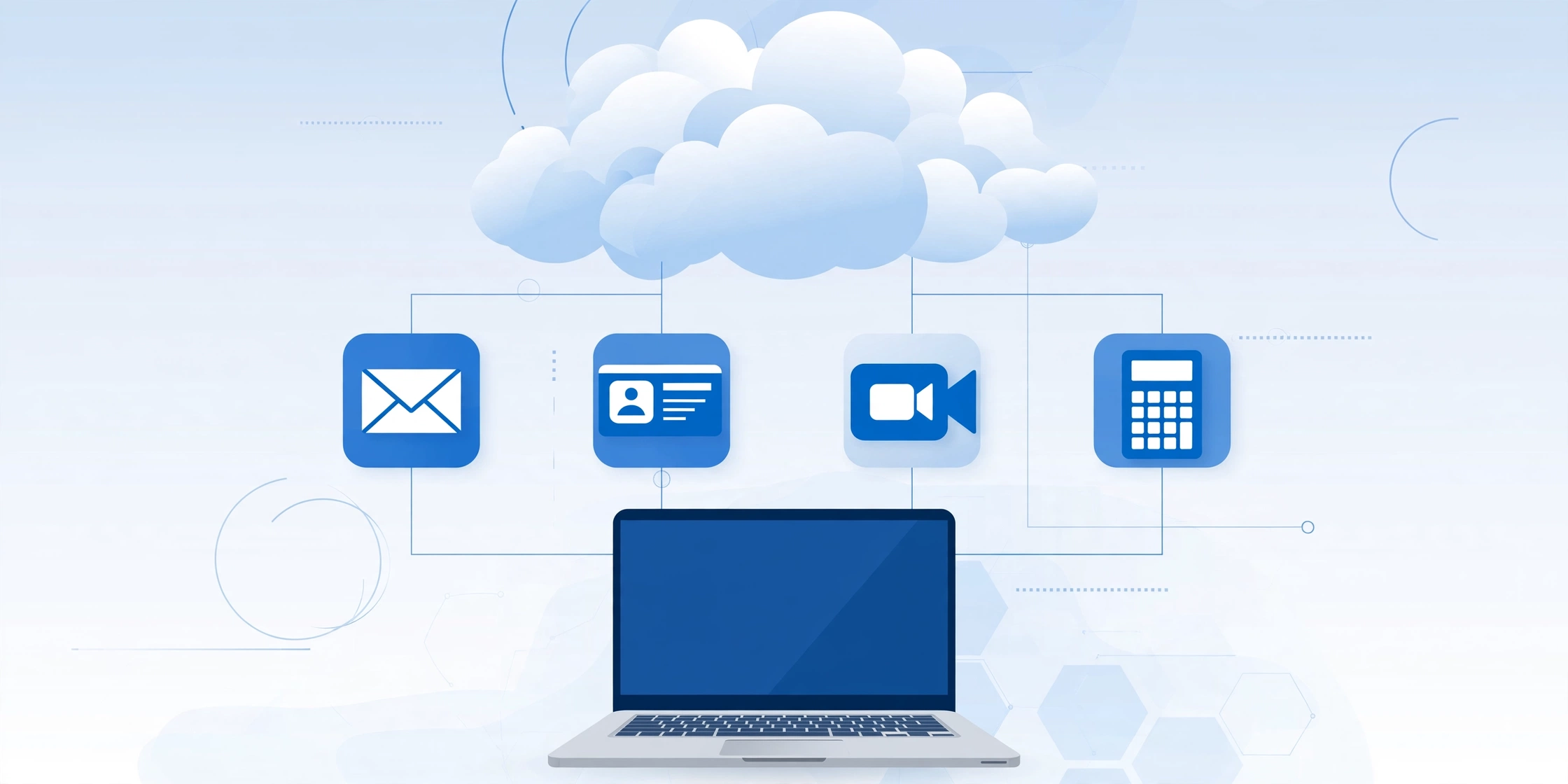
SaaS software (Software as a Service) is a cloud-based software delivery model where users access applications over the internet via a subscription — no installation, no hardware, no maintenance. You pay monthly or annually, log in from any device, and the vendor handles everything else behind the scenes.
That’s the 45-word direct answer. Now let’s go deeper — because understanding SaaS properly can completely change how you run your business.
You’ve probably used SaaS today without realizing it. Logged into Gmail? That’s SaaS. Opened Zoom for a meeting? SaaS. Used Slack to message your team? Also SaaS.
The term sounds technical, but the idea is actually simple. And if you’re a business owner, founder, or someone exploring cloud software options, you need to understand it clearly — not just the textbook definition, but how it actually works, why companies are switching to it fast, and where most people go wrong when choosing a SaaS tool.
Let’s break it all down.
What Is SaaS Software, Really?
The full form is Software as a Service. It’s one of three main cloud computing models — the other two being IaaS (Infrastructure as a Service) and PaaS (Platform as a Service).
Here’s the simplest way to think about it:
Old model (on-premise software): You buy a CD or download a program. Install it on your computer. Pay a large one-time license fee. If the software needs an update, you do it manually. If your laptop dies, your software might be gone too.
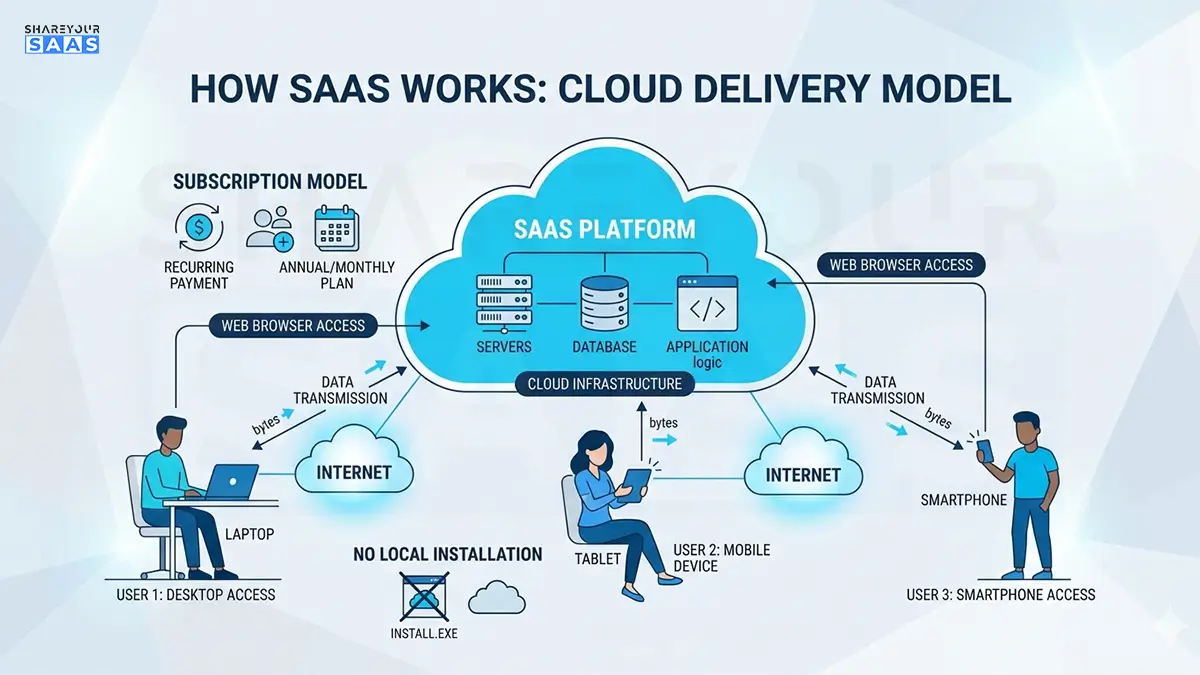
SaaS model: Everything lives in the cloud. You pay a monthly subscription. The vendor updates the software automatically. You access it from any device with internet. No installation headaches.
This shift sounds minor. It isn’t. It changed the entire software industry.
How Does SaaS Actually Work?
Behind every SaaS product is something called multi-tenant architecture. That means hundreds or thousands of customers are all using the same underlying software infrastructure — but their data stays completely separate and private.
Think of it like an apartment building. Every tenant (user) has their own private unit (data), but they all share the same building (software infrastructure). The building owner (vendor) handles maintenance, security, and upgrades.
This is how companies like Salesforce can serve millions of users without each user needing their own server.
Here’s the basic flow of how SaaS works:
- You sign up on the vendor’s website
- You get login credentials
- You access the software through a browser or mobile app
- Your data is stored on the vendor’s cloud servers (usually AWS, Google Cloud, or Azure)
- The vendor pushes updates automatically — you don’t do anything
- You pay every month or year, and can cancel anytime
That last point — the ability to cancel — is both the beauty and the business risk of SaaS. It forces vendors to keep improving their product constantly or lose customers.
SaaS vs. Traditional Software: A Real Comparison
Most articles throw a generic table at you here. Let me give you something more useful — a real-world example.
Imagine you run a small marketing agency. You need project management software.
If you bought traditional software:
- One-time cost: potentially $500–$2,000 per license
- Need to install it on every computer
- Updates cost extra (or require IT help)
- If you hire three new people, you buy three more licenses upfront
- Stuck on an old version if you don’t upgrade
If you use a SaaS tool like Asana or Monday.com:
- Monthly cost: $10–$25 per user
- Works on any browser, no installation
- Updates happen automatically every few weeks
- Add a new team member? Add a seat in two clicks
- Always on the latest version
For most growing businesses, SaaS wins on flexibility. But — and this is important — it’s not always cheaper long-term. If you’re running the same software for 10 years with a large team, traditional licensing might actually cost less. This is where most buyers make a mistake: they only look at the monthly price tag, not the total cost of ownership.
Real-World SaaS Examples You Already Know
These aren’t random picks — they’re the platforms that shaped the modern SaaS landscape:
- Salesforce — the OG of SaaS, launched in 1999, pioneered cloud-based CRM
- Slack — team communication, replaced internal email for thousands of companies
- Zoom — video conferencing that scaled from 10M to 300M daily users during 2020
- HubSpot — marketing, sales, and CRM platform for growing businesses
- Shopify — e-commerce platform, runs 10%+ of all US online stores
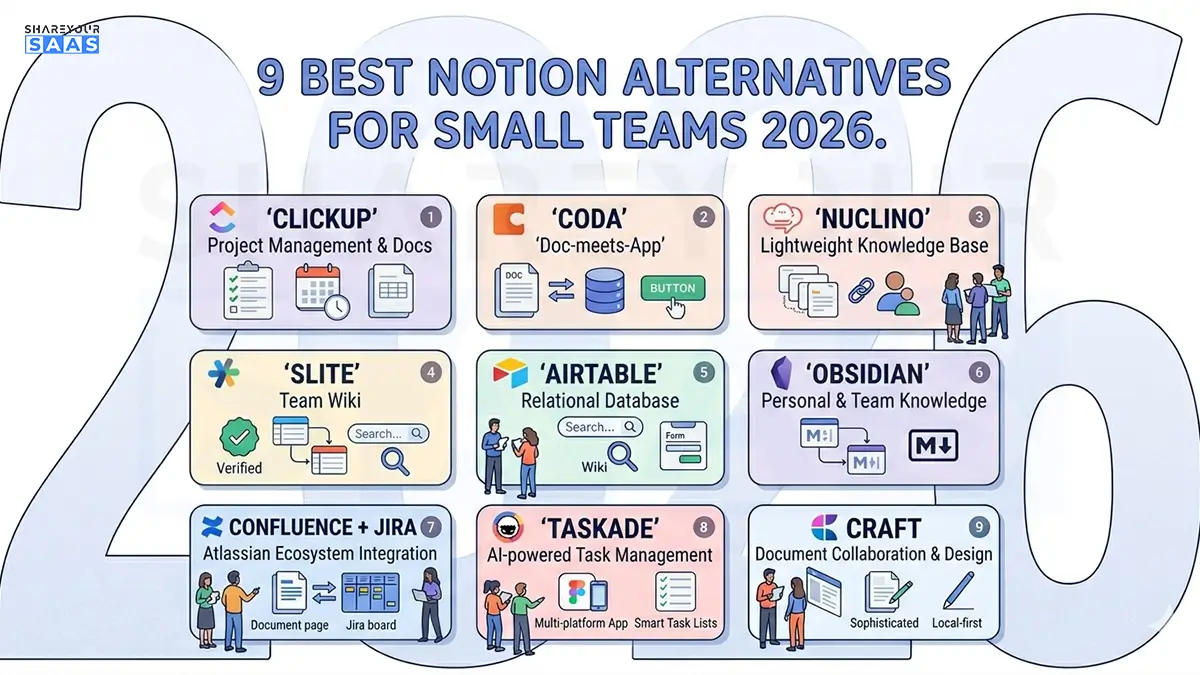
- Notion — workspace and documentation tool loved by startups
- Google Workspace — email, docs, and collaboration, used by 9+ million businesses
If you’ve used even three of these, you’ve already been a SaaS customer for years.
Why Businesses Are Moving to SaaS (The Real Reasons)
Everyone says “scalability” and “cost savings.” Those are real, but they’re not the full picture. Here’s what actually drives SaaS adoption, based on how businesses actually behave:
Speed of deployment
A traditional software rollout for a 50-person company could take months. A SaaS tool? Your team can be onboarded in a day. For fast-moving businesses, this matters more than anything else.
Predictable budgeting
Instead of a $50,000 software purchase that might go wrong, you’re paying $500/month. That’s manageable. That’s a line item in your monthly expenses, not a capital decision.
Remote work compatibility
Post-2020, this became non-negotiable. SaaS tools work from anywhere. On-premise software often doesn’t.
Automatic compliance and security updates.
For businesses in regulated industries (healthcare, finance), this is huge. The vendor handles GDPR, HIPAA, SOC 2 compliance. You don’t have to rebuild your security posture every year.
In 2026, AI-driven automation has made SaaS even more powerful — most platforms now embed intelligent workflows that learn from your usage patterns, automate repetitive tasks, and surface actionable insights without needing a data team behind them.
✅ Fact-Check Section: Common SaaS Claims Verified
Let’s address what’s actually true versus what gets exaggerated online.
Claim: “SaaS is always cheaper than traditional software.”
❌ Not always true. For enterprise-level tools used for 5+ years with large teams, traditional perpetual licenses can be more cost-effective. SaaS wins on upfront cost and flexibility, not necessarily on decade-long total cost.
Claim: “SaaS is less secure because your data lives with a third party.”
⚠️ Partially true, partially false. Top SaaS vendors invest far more in security infrastructure than most individual companies can afford. But data sovereignty and vendor lock-in are real concerns, especially for sensitive data. Always check where data is stored geographically and what happens to it if you cancel.
Claim: “The SaaS market is booming.”
✅ Verified. According to Gartner’s research, SaaS remains the largest segment of public cloud spending globally, with growth continuing steadily through 2026.
Claim: “Most businesses now run on SaaS.”
✅ Verified. BetterCloud’s SaaS trends data consistently shows that the average organization now runs 100+ SaaS applications. Even small businesses typically use 15–30 cloud tools.
How to Choose the Right SaaS Tool (My Personal Advice)
This is where most buyers get it wrong. They go straight to Google, search “best CRM software,” and pick whatever has the highest rating. That’s a mistake.
Here’s my recommended approach:
Step 1: Define the specific problem first
Don’t look for “project management software.” Ask: what exactly breaks down in my current process? Where does work get lost? Specificity saves you from buying the wrong tool.
Step 2: Start with a free trial, not a free plan
Free plans are often too limited to test real usage. Ask for a 14-day full-feature trial. Use it with your actual workflow, not demo data.
Step 3: Check integration compatibility
A great SaaS tool that doesn’t connect to your other systems creates more work, not less. Before committing, verify it integrates with your email, CRM, and any other core tool you use daily.
Step 4: Evaluate support quality
When something breaks (and it will), how fast does the vendor respond? Read recent support reviews, not just product reviews.
Step 5: Understand the exit strategy
How do you export your data if you leave? This question makes most vendors uncomfortable, which tells you a lot. If your data is hard to extract, you’re locked in forever.
If you’re evaluating which tools to adopt for your business, check out our curated list of Best AI SaaS Tools for Small Startups in 2026 — it covers the tools actually worth paying for right now.
Common SaaS Mistakes to Avoid
Buying too many tools. “SaaS sprawl” is real. Companies accumulate 40+ tools with overlapping features, paying for duplicates nobody uses. Audit your stack every 6 months.
Ignoring contract terms. Monthly billing sounds flexible, but some SaaS contracts auto-renew annually. Read the fine print before entering a credit card.
Skipping user training. A powerful tool used poorly delivers zero ROI. Budget time for onboarding, not just purchasing.
Choosing based on features, not fit. The most feature-rich tool is rarely the best tool for your team. Fit, adoption rate, and daily usability matter more than a features checklist.
SaaS Business Model: How Vendors Make Money
Understanding this helps you negotiate better and avoid bad deals.
SaaS revenue runs on MRR (Monthly Recurring Revenue) and ARR (Annual Recurring Revenue). Vendors want you to stay as long as possible — that’s why onboarding is often excellent, but cancellation can feel surprisingly difficult.
Pricing models vary:
- Per-seat pricing — you pay per user (common in CRM, project management)
- Usage-based pricing — you pay for what you consume (common in APIs, storage)
- Tiered pricing — starter/growth/enterprise plans with different feature sets
- Freemium — free base tier, paid upgrades (Notion, Slack, Zoom all use this)
If you’re building a SaaS product yourself, pricing strategy is one of the most critical decisions you’ll make early on. This guide on how to price a SaaS product for early customers walks through the founder’s strategy in detail.
Also, if you’re thinking about building something yourself, start here: SaaS 101: How to Start a SaaS Company.
Conclusion
For more honest SaaS breakdowns, browse our SaaS reviews hub.
SaaS software isn’t just a tech buzzword — it’s the operating system of modern business. Whether you’re a solo founder, a growing team, or an enterprise decision-maker, the tools you choose directly shape how fast and how well you work. Pick them carefully, use them intentionally, and revisit your stack regularly to make sure you’re getting real value.
FAQ — People Also Ask
Q: What is the difference between SaaS and cloud software?
All SaaS is cloud software, but not all cloud software is SaaS. Cloud software refers to any application hosted remotely. SaaS specifically means it’s delivered via subscription and managed entirely by the vendor — you just use it.
Q: Is SaaS software safe for storing sensitive business data?
Generally yes, if you choose reputable vendors with SOC 2 or ISO 27001 certifications. That said, always review where your data is stored, who can access it, and what the vendor’s breach response policy looks like before committing.
Q: What are the most popular SaaS tools for small businesses?
The most widely adopted SaaS tools for small businesses include Google Workspace, HubSpot (CRM), Slack (communication), QuickBooks Online (accounting), and Zoom (video). The right combination depends on your industry and team size.