If you run a small startup in 2026, here is the direct answer: pay for one strong general AI assistant (ChatGPT Plus or Claude Pro, both $20/month), connect your apps with a free automation tier (Zapier or n8n), and add exactly one tool that attacks your biggest weekly bottleneck – usually meeting notes, content production, or lead follow-up. That three-piece setup covers what most teams under 15 people need. Everything else in this guide is for when you outgrow it.
This matters because the market has moved from chatbots to agents – software that completes multi-step work on its own. Gartner expects 40% of enterprise applications to include task-specific AI agents by 2026, up from under 5% in 2025. Small teams feel this shift most: McKinsey’s 2024 State of AI survey found 78% of organizations now use AI in at least one business function, and a 2026 Thryv survey found small businesses using AI save more than 20 hours and $500-$2,000 per month. The startups winning with AI are not buying the most tools – they are buying the fewest tools that remove real bottlenecks.
How did we choose these tools?
We focused on tools a team of 1-15 people can buy and run without an IT department or an enterprise sales call. Every pick had to clear five tests:
- Startup-fit pricing: a usable free tier or an entry plan under roughly $50/month per user.
- Self-serve setup: you can sign up and get value in an afternoon, without a demo call.
- Integration depth: connects to the apps startups already live in – Gmail, Slack, HubSpot, Notion, Stripe.
- Data controls: a published security posture (SOC 2, GDPR) and a clear way to opt out of having your data used for model training.
- Evidence of adoption: real traction with small businesses, not just launch hype.
How we evaluated: we trialed free tiers where available, worked through current documentation and 2026 pricing pages, and cross-checked claims against published hands-on reviews from founders and operators. We did not run a formal lab benchmark of every product, so where a capability comes from the vendor’s own materials, we say so – and we link the vendor so you can verify it yourself. Pricing changes often; treat the figures below as 2026 list prices and confirm before you buy.
If you are still getting oriented, our guide to what SaaS actually means for your business model is useful background on how these tools are priced and delivered.
Which AI SaaS tools made the shortlist?
The short version before the deep dive:
| Tool | Category | Best for | Starts at | Free tier |
|---|---|---|---|---|
| ChatGPT Plus | General assistant | All-round reasoning, agents, voice | $20/mo | Limited |
| Claude Pro | General assistant | Long documents, careful writing | $20/mo | Limited |
| Google Gemini | General assistant | Teams on Google Workspace | Free | Yes |
| Jasper | Marketing content | On-brand content at volume | ~$39/mo | Trial |
| Surfer SEO | SEO | Optimizing content to rank | ~$79/mo | No |
| Canva Magic Studio | Design | Visuals without a designer | ~$15/mo | Yes |
| Zapier | Automation | No-code app connections | Free | Yes |
| n8n | Automation | Technical teams, self-hosting | Free | Yes (self-hosted) |
| Make | Automation | Visual workflow builder | ~$9/mo | Yes |
| Fathom | Meetings | Free meeting summaries | Free | Yes |
| Otter.ai | Meetings | Searchable transcripts | ~$17/mo | Yes |
| Notion AI | Productivity | Q&A over your knowledge base | ~$10/user/mo | No (add-on) |
| Clay | Sales | Lead enrichment + outreach | ~$149/mo | Trial |
| HubSpot | CRM + AI | Free CRM with AI agents | Free | Yes |
| Tidio | Support | AI chat for small stores | ~$29/mo | Yes |
| Ramp | Finance | Spend tracking + savings alerts | Free | Yes |
| Brex | Finance | AI bookkeeping with card | Free | Yes |
| QuickBooks | Accounting | AI-assisted bookkeeping | ~$30/mo | Trial |
| Grammarly | Writing | Grammar, tone, clarity | Free | Yes |
| Perplexity | Research | Answers with citations | Free | Yes |
Which general AI assistant should a startup choose first?
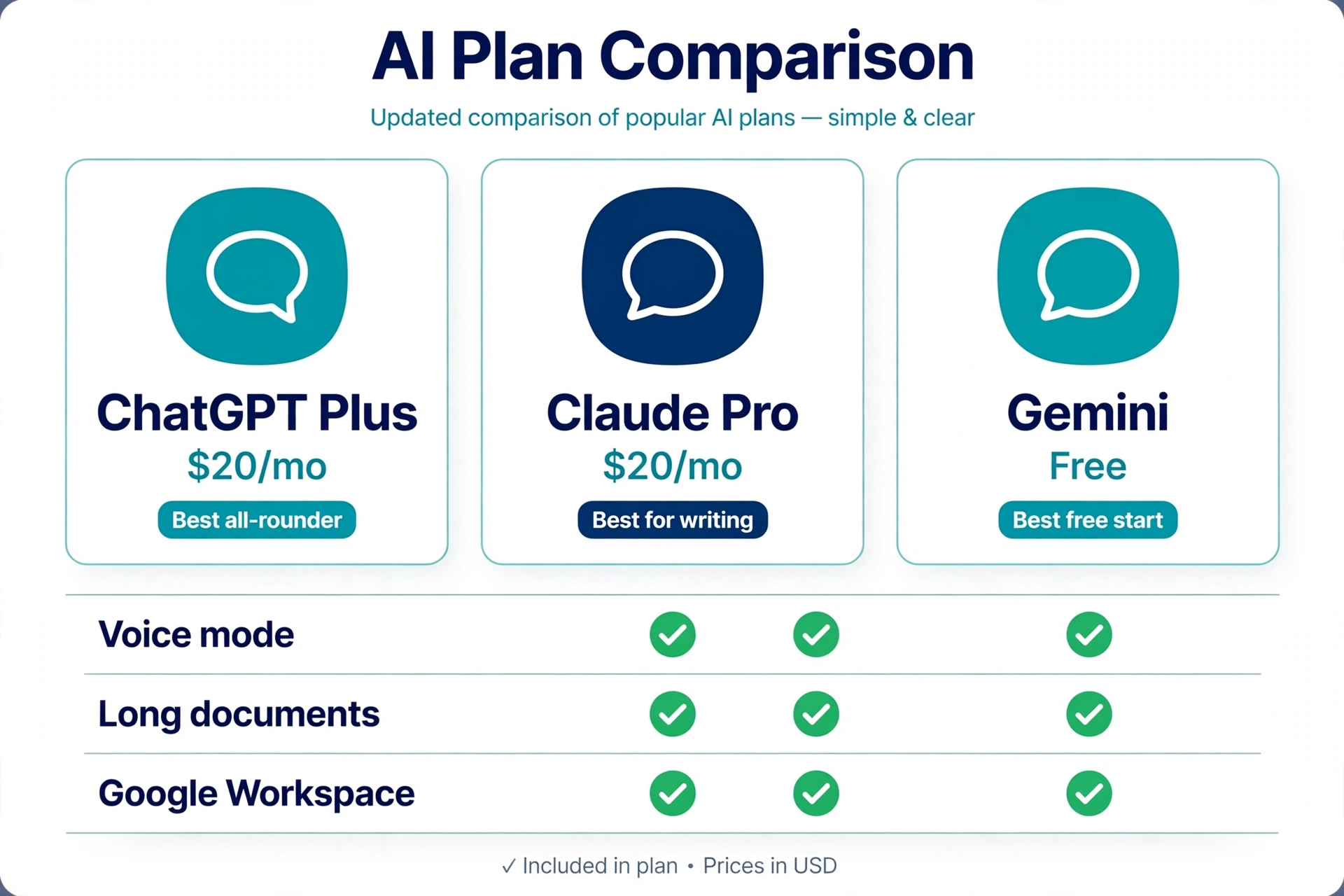
If you buy exactly one AI subscription this year, make it one of these three. Everything else in this guide is optional; this category is not.
ChatGPT Plus – the best all-rounder
OpenAI’s $20/month plan remains the safest default: strong reasoning, image generation, voice mode, and agents that can browse the web and complete multi-step tasks. If your work is varied – some writing, analysis, coding, and research – start here. Honest limitation: long-document work and nuanced writing often need heavier prompting than with alternatives, and the most capable agent features can be slower than plain chat.
Claude Pro – the best for writing and long documents
Anthropic’s $20/month plan shines on long-context work: feed it a lengthy contract or a messy draft and get careful, well-structured output. Many founders prefer its writing tone with less fiddling. Menlo Ventures’ 2026 data suggests Anthropic now leads enterprise LLM spending – a signal of where serious document work is heading. Honest limitation: fewer third-party integrations than ChatGPT, and usage caps can frustrate heavy users.
Google Gemini – the best free starting point
If your startup lives in Google Workspace, Gemini’s generous free tier is the obvious $0 start: it summarizes Gmail threads, drafts in Docs, and analyzes Sheets without extra setup. Honest limitation: the free tier is not the right place for sensitive client data – review the data controls before pasting anything confidential.
What about writing polish and research?
Two lightweight additions worth knowing: Grammarly (free tier; Pro ~$12/month) catches grammar, tone, and clarity issues across email, docs, and the browser – cheap insurance for a startup whose writing is its brand. Perplexity (free tier) answers research questions with cited sources, which makes it faster than a search engine when you need an answer you can verify. Neither replaces a general assistant; both complement one.
Our take: start with Gemini free or one $20 plan. Do not pay for two general assistants until you can name what the second one does that the first cannot.
What are the best AI tools for marketing and content?
Content is the classic startup bottleneck: you need volume and consistency but cannot hire a team yet. These three cover writing, search, and design.
Jasper – on-brand content at volume
Jasper’s pitch is brand voice: train it on your existing content and it produces blogs, ads, and emails that sound like you rather than a generic chatbot. Plans start around $39/month. Best for: startups publishing multiple pieces a week. Honest limitation: if you already pay for ChatGPT Plus or Claude Pro, test whether careful prompting gets you 80% of the way there before adding another subscription.
Surfer SEO – content that can actually rank
Surfer analyzes what is ranking for your keyword and scores your draft against it – structure, terms to include, ideal length. From ~$79/month it is not cheap, but a single ranking article can pay for a year of the subscription. Best for: startups betting on organic search. Honest limitation: it is an optimizer, not a writer – pair it with a writing tool rather than expecting finished drafts.
Canva Magic Studio – design without a designer
Canva’s AI features generate layouts, product mockups, and social creatives from text prompts, around $15/month for Pro. Best for: founders doing their own visuals. Honest limitation: output still needs a human eye – AI layouts look templated if you publish them untouched.
How can a tiny team automate repetitive work?
Automation platforms are the highest-ROI category for most startups because they remove the copy-paste work between your apps. The 2026 shift is toward agents you describe in plain English rather than workflows you build click by click.
Zapier – the no-code default
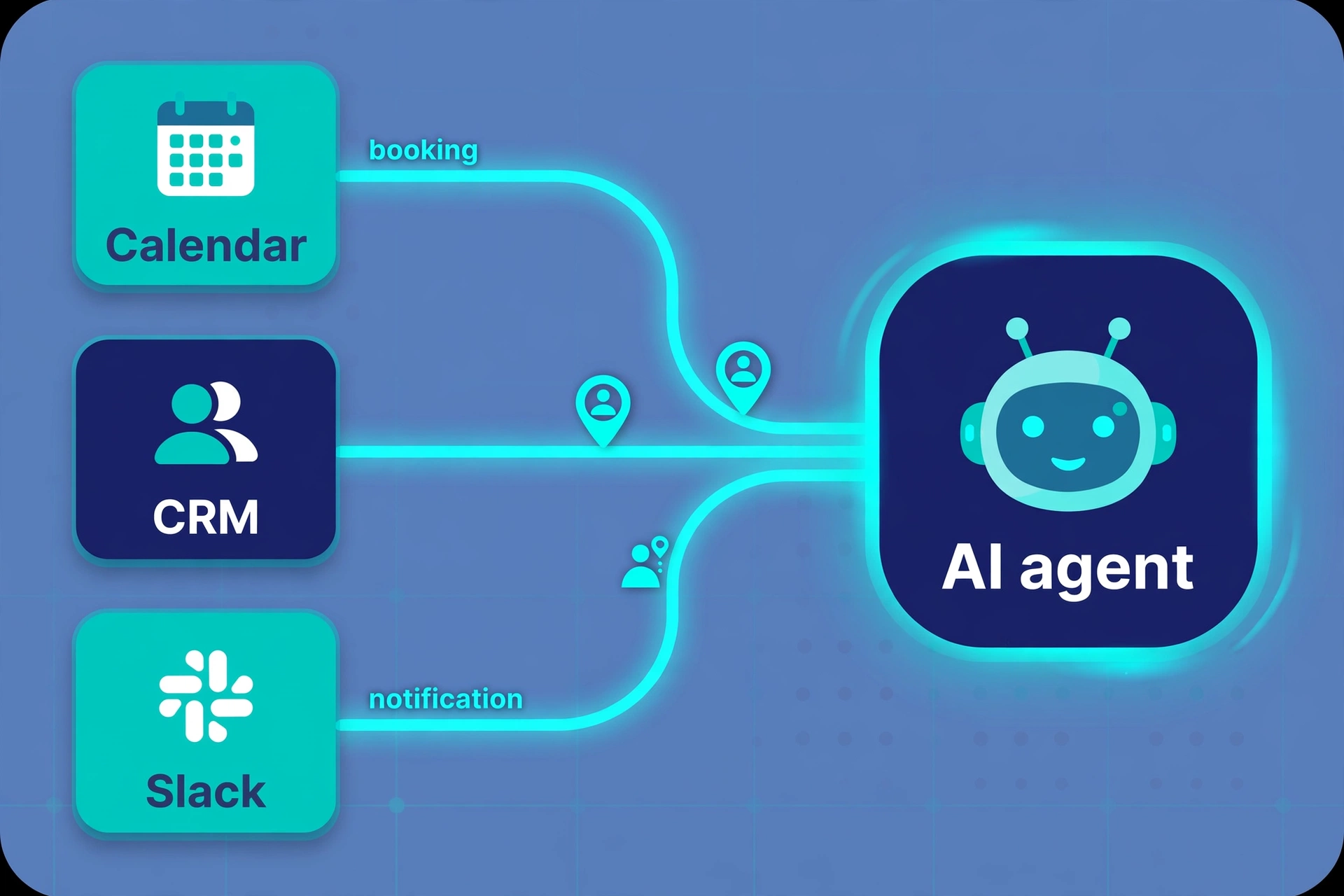
Zapier connects thousands of apps, and its AI features now let you describe a workflow in plain English (for example: when a call is booked, create a CRM contact and send a Slack message) instead of building it step by step. Generous free tier; paid from ~$20/month. Best for: non-technical founders. Honest limitation: costs scale with task volume – audit your automations quarterly or the bill creeps up silently.
n8n – the technical team’s choice
n8n is open-source and self-hostable, which means the free tier is genuinely free if you can run it, and your data stays on your own infrastructure. Cloud plans start around $20/month. Best for: technical founders who want control. Honest limitation: steeper learning curve – non-technical teams will move slower than with Zapier.
Make – the visual middle ground
Make’s visual builder makes complex multi-step scenarios easier to follow than linear step lists, from ~$9/month. Best for: operations-minded founders orchestrating several systems. Honest limitation: a smaller app library than Zapier, so check your must-have integrations first.
Which AI meeting assistant is worth paying for?
Founders routinely lose five or more hours a week to meeting notes and follow-ups. This is the easiest category to trial because the best option is free.
Fathom – the free no-brainer
Fathom joins your Zoom, Meet, or Teams calls, records, transcribes, and produces summaries with action items – free, with CRM sync on paid tiers. Best for: any startup having customer or team calls. Honest limitation: check your local consent and recording-disclosure rules before letting a bot auto-join calls.
Otter.ai – searchable meeting memory
Otter’s strength is a searchable archive of everything said across months of meetings, from ~$17/month for Pro. Best for: teams that reference past decisions often. Honest limitation: accuracy drops with heavy accents, crosstalk, or bad microphones – verify key quotes before acting on them.
Notion AI – answers from your own knowledge base
Notion AI (~$10/user/month add-on) turns your docs, wikis, and project notes into something you can question in plain English. Best for: teams already living in Notion. Honest limitation: it is only as good as your documentation – messy wiki in, messy answers out. If you are still choosing a workspace, see our Notion alternatives for small teams comparison.
What are the best AI tools for sales and customer support?
For B2B startups, pipeline is life. For e-commerce and product-led startups, support response time is the metric that matters. Pick the side that matches your motion.
Clay – lead enrichment and personalized outreach
Clay pulls founder bios, funding news, and job changes from across the web, then uses AI to write genuinely personalized cold emails at scale. From ~$149/month it is the priciest pick in this guide – justify it with pipeline math before subscribing. Best for: B2B startups doing outbound. Honest limitation: personalization at scale still needs human review; fully automated outreach burns domains and reputations. If you are pricing a SaaS product for early customers, Clay can also help you enrich a design-partner list.
HubSpot – the free CRM with AI agents built in
HubSpot’s free CRM tier now includes AI prospecting and meeting agents, which makes it the default for startups that need a CRM anyway. Paid tiers start around $20/month per seat. Best for: startups that want CRM and AI in one bill. Honest limitation: costs rise steeply as you add seats and hubs – model the 12-month cost, not just the starter price.
Tidio – AI support for small stores and SaaS
Tidio’s Lyro AI agent resolves common support questions from your help docs, from ~$29/month, with a free tier to start. Best for: small e-commerce and SaaS teams drowning in repetitive tickets. Honest limitation: set clear escalation rules – an AI agent that confidently guesses wrong on refunds or billing will cost you customers.
Which AI tools keep startup finances under control?
Cash flow kills more startups than competition does. These tools watch the money while you build.
Ramp – free spend intelligence
Ramp’s corporate card is free, and its AI flags duplicate subscriptions, surfaces vendor savings, and categorizes spend automatically. Best for: any startup with software subscriptions – which is all of you. Honest limitation: availability is strongest in the US; international startups should confirm coverage first.
Brex – AI bookkeeping with your card
Brex pairs a corporate card with AI receipt matching and automatic categorization, also free with the card. Best for: startups that want card and books in one place. Honest limitation: same geographic caveat – confirm it serves your country before switching.
QuickBooks – AI-assisted accounting
QuickBooks’ AI features (from ~$30/month) categorize transactions and draft invoice reminders. Best for: startups ready for real books rather than spreadsheets. Honest limitation: migrating from spreadsheets takes a focused weekend – budget the time rather than discovering it mid-tax season.
How much should a startup budget for AI tools?
Work backward from team size, not from a tool wish list. Below are three realistic stacks – note that the first one costs nothing.
| Stage | Example stack | Approx. monthly cost |
|---|---|---|
| Solo founder ($0 stack) | Gemini free + Fathom free + Zapier free tier + Canva free + HubSpot free CRM | $0 |
| Lean team (2-5 people) | One $20 assistant (ChatGPT Plus or Claude Pro) + Fathom or Otter.ai + Canva Pro | ~$35-$55 |
| Growing team (6-15 people) | Assistant seats + Zapier paid + Jasper or Surfer SEO + Tidio + Ramp/Brex | ~$200-$450 |
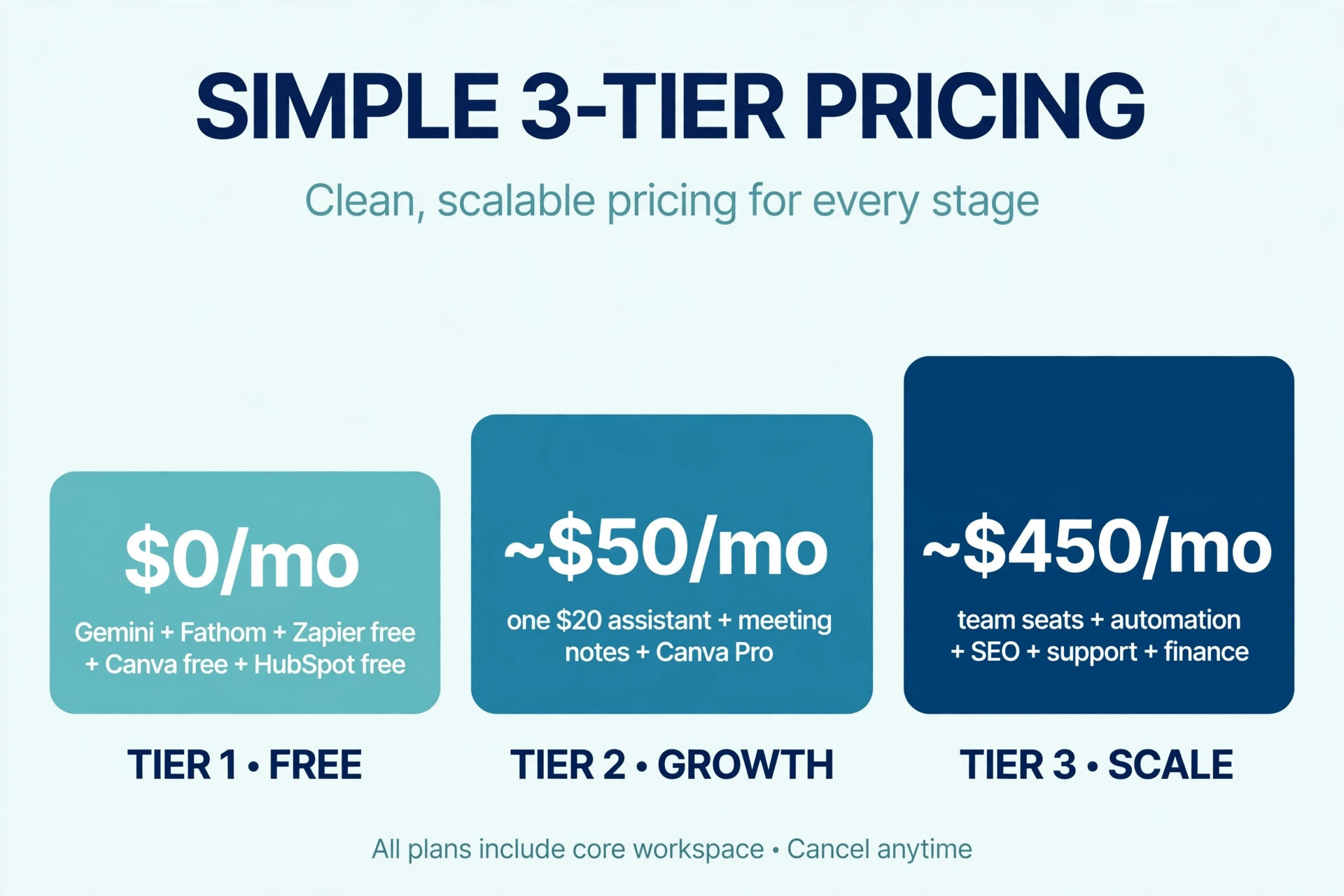
The $0 stack is deliberately listed first: the SBE Council’s 2026 survey found 82% of small-business employers had invested in AI tools, but the median business uses just 5 of them – restraint is normal, not cheap. Start free, upgrade the tool you hit limits on, and only then add the next one.
Watch the pricing model, not just the price. Seat-based plans punish growing teams; usage-based plans punish success spikes. Before committing, model what each tool costs at double your current usage – that is the number that surprises founders in month six.
What costly mistakes should startups avoid?
- Buying twelve tools before finding the bottleneck. Every subscription should trace back to hours saved or revenue earned. Our rule: identify your biggest weekly time sink, trial exactly one tool for 30 days, and cancel it if it does not save at least 3 hours a week. Call it the One-Month Rule.
- Paying twice for the same capability. ChatGPT Plus, Jasper, and similar writers overlap heavily on drafting; Notion AI overlaps with a general assistant for Q&A. Before adding a tool, check what your current subscriptions – and existing suites like Google Workspace or Microsoft 365 – already include.
- Pasting sensitive data into the wrong tier. Free chatbot tiers often reserve the right to train on your inputs. Keep customer PII, financials, and unreleased product details in tools with SOC 2 compliance and training opt-outs – and write the rule down so the whole team follows it.
- Giving agents the keys without approval gates. Autonomous agents that send emails, issue refunds, or push code need human-in-the-loop checkpoints. Start every agent in draft mode – it prepares the work, you approve it – and only automate the approval once the error rate is boring.
- Ignoring exit costs. Before committing, check: can you export your data (CSV or API)? How long would migration take? The cheapest tool to adopt is rarely the cheapest to leave. And audit subscriptions quarterly – subscription management software, or simply Ramp’s spend alerts, pays for itself by catching zombie renewals.
How can startups get AI tools free or discounted?
Almost none of the typical best-tools lists mention this, but startups can access credits and discounts that individuals cannot. Use them – then plan for the price you will pay after they expire.
- Cloud AI credits: Microsoft for Startups, Google for Startups Cloud, and AWS Activate offer credits covering AI API and model usage – often tens of thousands of dollars over one to two years.
- Startup discount programs: HubSpot for Startups (deep discounts in year one), Notion for Startups (free Plus plan), and similar programs from Airtable, Segment, and others.
- Annual billing: most tools discount 15-25% annually – but only switch to annual after a 30-day trial has proven ROI.
- Founder communities: accelerators and founder groups often maintain partner-perk pages with extended trials you will not find on pricing pages.
Treat credits as runway, not revenue: build your stack for the price you will pay when they expire, so renewal season does not force a painful rip-and-replace.
How do you roll out AI tools in 30 days without chaos?
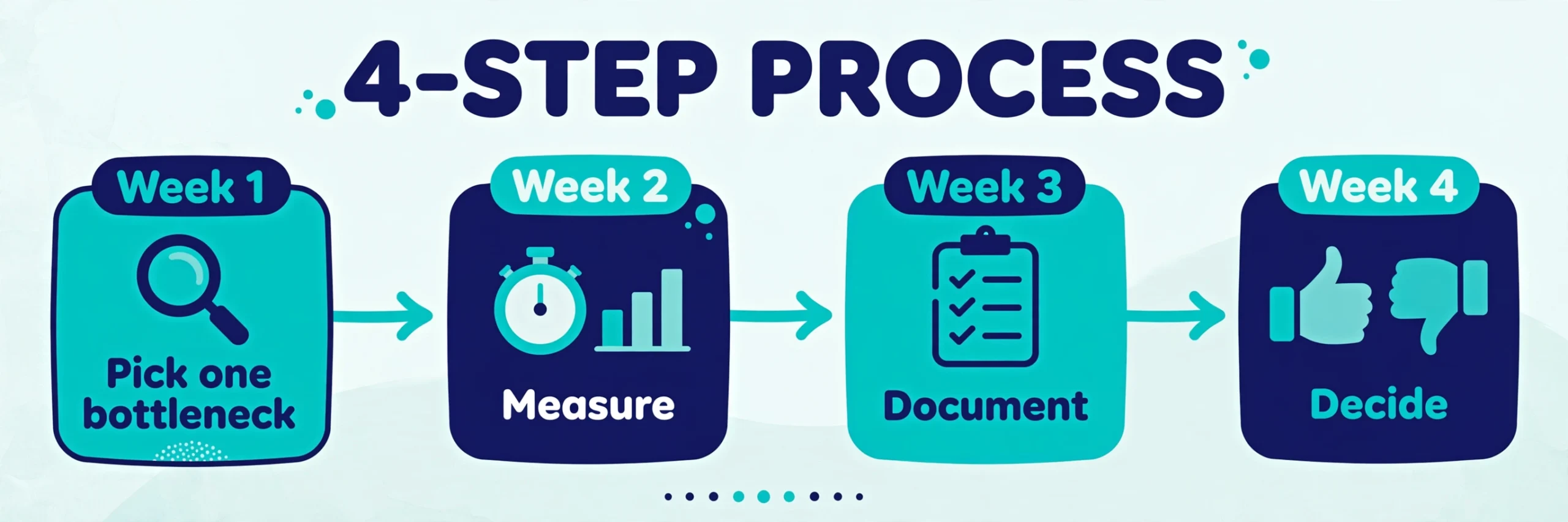
- Week 1 – Pick one bottleneck. Ask the team: what repetitive task ate your hours this week? Trial exactly one tool against it.
- Week 2 – Measure. Track hours saved and output quality versus the old way. No measurable win, no renewal.
- Week 3 – Document. Write the workflow down: what the tool does, what data it may touch, who approves its output. This is also the week to make sure the underlying process is worth keeping – automating a broken process just breaks things faster. (If you are pre-launch, validating your startup idea comes before optimizing its operations.)
- Week 4 – Decide. Keep it and move to the next bottleneck, or kill it. One tool per month is a sustainable pace.
Minimum data checklist before any tool touches real work: SOC 2 or equivalent attestation; a written data-processing agreement for customer data; training-data opt-out confirmed; SSO or strong two-factor authentication on the admin account; and a working export path for your data.
What do founders ask us about AI tools?
What is the single best AI tool for a startup on a tight budget?
A $20/month general assistant – ChatGPT Plus for versatility, Claude Pro for writing and long documents. It is the highest-leverage subscription in this guide because it assists across every role. Pair it with free tiers (Fathom, Zapier, Canva, HubSpot CRM) and you have a credible AI stack for $20/month total.
How many AI tools does a small startup actually need?
Fewer than you think. The SBE Council’s 2026 survey found the median small business uses 5 AI tools. Start with two or three – an assistant, one bottleneck tool, and free automation – and add one per month only when a measured bottleneck justifies it.
Is it safe to put company data into AI tools?
It depends on the tier and the vendor. Business and enterprise tiers from established vendors typically offer SOC 2 compliance, encryption, and opt-outs from training on your data; free consumer tiers often do not. Rule of thumb: customer PII, financials, and unreleased IP go only into tools with documented security controls – and confirm the training opt-out in writing, not just in marketing copy.
Can AI tools replace hiring in 2026?
No – but they change what you hire for. AI reliably absorbs repetitive production work (first drafts, meeting notes, data entry, ticket triage), letting a small team operate like a larger one. It does not replace judgment, relationships, or accountability – hire for those and automate the rest. Salesforce’s SMB research found 90% of AI-using small businesses say operations are more efficient: a force multiplier, not a replacement.
Should we choose an all-in-one platform or best-of-breed tools?
Start best-of-breed with free tiers – you get better capabilities per dollar while you are small. Consolidate when the admin overhead (five bills, five logins, five data silos) costs more than the capability gap. A practical trigger: when you are paying for three tools that one platform covers at 80% quality, it is time to consolidate.
When should we upgrade from free tiers to paid plans?
Upgrade on evidence, not enthusiasm: you are hitting usage caps weekly, the tool demonstrably saves 3+ hours a week, or you need business-tier controls (SSO, audit logs, data retention). If none of those are true, the free tier is doing its job.
The founders getting the most from AI in 2026 are not running the longest tool list – they are running the shortest one that still removes their bottlenecks. Start with one assistant, automate one workflow, and measure everything. Your stack should earn its place every single month.