Direct answer: To choose the right B2B CRM software in 2026, start by mapping your sales process and must-have features (pipeline tracking, lead management, integrations), then shortlist 3–4 platforms that fit your team size and budget, run a 14-day trial with real data, and evaluate total cost including onboarding and training. The best CRM is the one your team will actually use daily — prioritize adoption over feature lists.
Key Takeaways
- Define your requirements before evaluating vendors — a CRM that doesn’t match your sales process will fail regardless of features.
- Prioritize pipeline visibility, automation, and integrations with your existing tools (email, calendar, marketing).
- Total cost includes licenses, onboarding, training, and admin time — not just the per-seat price.
- Always trial with real data and real users for at least 2 weeks before committing.
- The #1 reason CRM implementations fail is low user adoption, not missing features.
What Is B2B CRM Software?
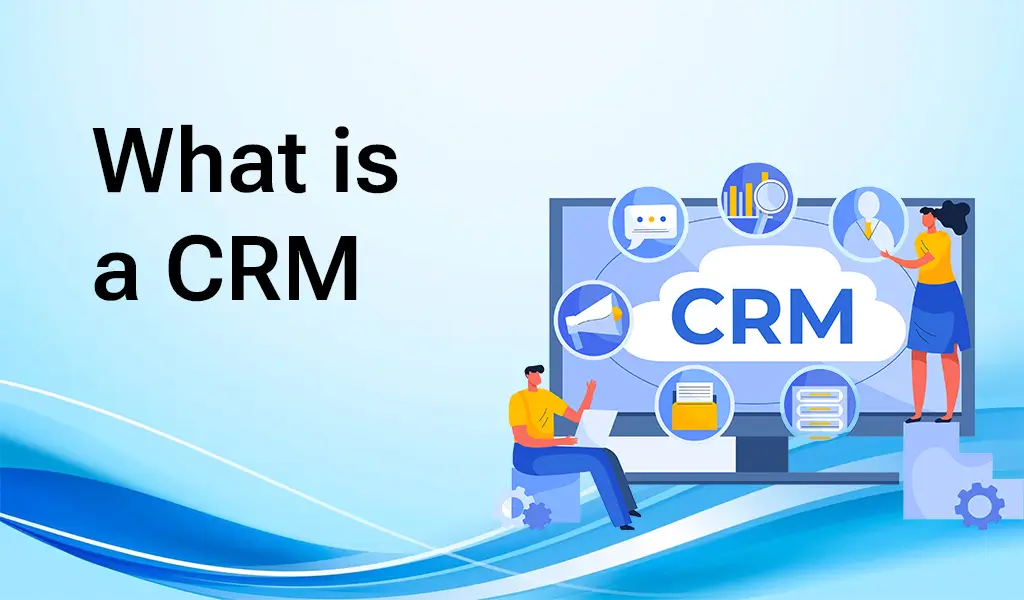
B2B CRM (Customer Relationship Management) software helps businesses manage interactions with prospects and customers across long, complex sales cycles. Unlike B2C CRMs focused on high-volume transactions, B2B CRMs handle multiple stakeholders, longer deal cycles, account-based workflows, and deeper pipeline analytics.
At its core, a B2B CRM centralizes every touchpoint — emails, calls, meetings, proposals — so nothing falls through the cracks and every team member sees the full relationship history.
Why Choosing the Right CRM Matters More Than You Think
A CRM is not just software; it becomes your company’s system of record for revenue. The wrong choice costs you twice: first in wasted licenses and implementation effort, then in the deals you lose to disorganized follow-up.
Companies with well-adopted CRMs see measurable results: shorter sales cycles, higher win rates, and better forecast accuracy. But industry data consistently shows that 30–50% of CRM projects struggle — almost always because of poor fit or poor adoption, not because the software was “bad.”
Getting this decision right pays dividends for years. Getting it wrong means a painful migration 18 months later.
Step 1: Map Your Requirements Before You Shop
Never start by browsing vendor websites. Start with your own process:
- Document your sales stages. Write down every stage from first contact to closed deal. Your CRM must model this pipeline — not force you into a generic template.
- List your non-negotiables. Separate must-haves (e.g., Outlook integration, custom fields, mobile app) from nice-to-haves. Aim for 5–8 must-haves; more than that and everything looks “critical.”
- Count your users and roles. Sales reps, managers, marketing, support — who needs access, and what should each role see? This determines your seat count and permission needs.
- Inventory your stack. List every tool the CRM must integrate with (email, calendar, marketing automation, helpdesk, ERP). Integration gaps are the most common post-purchase regret.
Step 2: Evaluate These Essential Features
Lead and Contact Management
The foundation: capturing leads from every source (web forms, email, imports, APIs), deduplicating them, and maintaining a single clean record per contact and company. Look for automatic enrichment (filling in company data) and duplicate detection — dirty data kills CRM value faster than anything.
Pipeline Tracking and Visualization
You need a clear, customizable pipeline view — typically kanban-style — showing every deal by stage, value, and owner. Managers should spot stalled deals at a glance. Forecasting tools that aggregate pipeline into projected revenue are essential once you pass 5–10 reps.
Sales Automation
Reps spend hours on admin. Good CRMs automate: follow-up reminders, task creation, email sequences, lead assignment rules, and data entry (logging calls/emails automatically). Ask vendors: “Show me what a rep’s day looks like with zero manual data entry.”
Integration Capabilities
Your CRM must connect to your email (Gmail/Outlook), calendar, marketing platform, and any industry tools. Check whether integrations are native (built and maintained by the vendor), via a marketplace, or require third-party connectors like Zapier — native is always more reliable.
Customization and Scalability
Your process will evolve. The CRM should let you add custom fields, create custom pipeline stages, build custom reports, and automate custom workflows — without hiring a developer for every change. Also confirm it scales: what happens at 10x your current data volume and user count?
Reporting and Analytics
Beyond pipeline views, you need: conversion rates by stage, rep activity and performance, deal velocity, win/loss analysis, and forecast accuracy. The best CRMs let non-technical managers build these reports in minutes, not tickets to ops.
User-Friendly Interface and Mobile Access
If reps won’t use it, it’s worthless. The interface should be clean, fast, and require minimal training. Test the mobile app seriously — field sales and founders live on mobile, and a bad mobile experience guarantees low adoption.
Step 3: Calculate True Total Cost
The per-seat price is just the beginning. Build a 3-year total cost model:
- Licenses: Per-seat × users × 36 months. Watch for mandatory annual billing and price jumps between tiers.
- Onboarding: Vendor implementation fees range from $0 (self-serve) to $10,000+ (enterprise). Ask what’s included.
- Training: Factor in hours × hourly cost for every user, plus ongoing training for new hires.
- Admin: Someone must maintain the CRM (fields, workflows, deduplication). Budget 5–10 hours/month minimum, or a part-time admin for larger teams.
- Integrations: Premium connectors, middleware (Zapier/Make), or custom API work add up.
A $50/seat/month CRM for 20 users isn’t $12,000/year — with onboarding, admin, and integrations, it’s often $25,000–$40,000 in year one. That’s fine if the ROI is there, but budget honestly.
Step 4: Trial With Real Data, Then Decide
Never buy based on a sales demo alone. Run a structured 14-day trial:
- Import real data. 200–500 real contacts and 20–30 open deals. Synthetic test data hides real-world friction.
- Assign 3–5 real users. Include a skeptic — their objections are your most valuable feedback.
- Run a real workflow end-to-end. New lead → qualification → proposal → close. Time how long each step takes versus your current process.
- Score against your must-haves. Use the requirements list from Step 1. Anything that needs a “workaround” is a red flag.
- Check support responsiveness. File a real support ticket during the trial. Enterprise CRMs with 48-hour response times will frustrate you for years.
B2B CRM Comparison: What to Look For by Business Size
| Business size | Typical needs | What to prioritize |
|---|---|---|
| Startup (1–10 users) | Simple pipeline, low budget, fast setup | Ease of use, free/low-cost tiers, quick onboarding |
| Growing (10–50 users) | Automation, integrations, basic reporting | Workflow automation, native integrations, customization |
| Mid-market (50–500 users) | Forecasting, team management, advanced analytics | Forecasting accuracy, role-based permissions, API access |
| Enterprise (500+ users) | Compliance, complex workflows, global teams | Security certifications, audit logs, dedicated support, SLAs |
5 Mistakes That Doom CRM Implementations
- Buying for executives, not reps. If the daily users hate it, they’ll work around it (spreadsheets), and your data will be garbage. Reps’ adoption matters more than the dashboard the CEO sees.
- Skipping data cleanup. Migrating 10,000 duplicate, outdated contacts into a new CRM poisons it from day one. Clean before you migrate.
- Over-customizing on day one. Build 50 custom fields and 20 workflows before anyone uses it, and you’ll create confusion. Start with the vendor’s defaults, then customize based on real usage.
- No internal champion. Every successful CRM rollout has one person who owns it — trains users, enforces hygiene, iterates on workflows. Without a champion, usage decays within months.
- Treating go-live as the finish line. A CRM needs continuous gardening: deduping, refining stages, updating automations. Budget ongoing admin time or it will rot.
FAQ — People Also Ask
What is the best B2B CRM software in 2026?
There’s no single “best” — it depends on your size and needs. HubSpot CRM leads for ease of use and free tier; Salesforce dominates enterprise; Pipedrive excels for pipeline-focused small teams; Zoho CRM offers strong value. The best approach is to shortlist 3–4 based on your requirements and trial them with real data.
How much does B2B CRM software cost?
Per-seat pricing ranges from free (HubSpot’s basic tier) to $25–$75/user/month for mid-market (Pipedrive, Zoho, ActiveCampaign) to $125–$300+/user/month for enterprise (Salesforce, HubSpot Enterprise, Microsoft Dynamics). Factor in onboarding, training, and admin for true total cost.
How long does CRM implementation take?
Self-serve CRMs: days to 2 weeks. Mid-market with data migration: 4–8 weeks. Enterprise with custom integrations: 3–6 months. The biggest variable isn’t the software — it’s data cleanup and user training.
Can I switch CRMs later if I choose wrong?
Yes, but it’s painful — data migration, retraining, workflow rebuilding, and 2–3 months of disruption. That’s why the trial phase matters so much. Choose carefully now to avoid a costly migration later.
Do small businesses need a CRM?
If you’re tracking more than ~20 active prospects or customers in spreadsheets, yes. The tipping point is when follow-ups start slipping through the cracks. Modern CRMs have free tiers, so cost isn’t a barrier — the question is whether you’ll commit to using it consistently.
Conclusion
Choosing the right B2B CRM software comes down to fit, not features. Map your process, define your must-haves, calculate true total cost, and trial with real data. The CRM your team actually uses every day will outperform a “more powerful” one they avoid.
For more on building your SaaS stack, explore our SaaS 101 startup guide, our monday.com CRM guide, and our SaaS software primer.